

Running a studio · For photographers, videographers and content creators
Your studio runs on five apps. One photography CRM can replace them
By Jide Odukoya, Founder3 min read
The short answer
Studio software should carry one client from the first message to the last payment. That means four steps: win the client, run the job, deliver the work and run the business.
It’s Sunday night, and a couple is waiting on you. You just don’t know which app they’re waiting in: gallery, contract, payment link or group chat.
Why does a studio end up in five apps?
Because each app solves one step, and the steps keep coming. You add a gallery app, then a contract app, then a scheduler.
The industry’s own numbers show it. In the 2026 State of the Photography Industry survey, 45% of photographers used no software to run the business side. And 31% tracked their projects in spreadsheets.
And the busywork adds up. In VSCO’s 2026 report, 52% of working photographers spent a quarter to half of their photo time on dull tasks. That is time taken from the creative work.
Comparing apps? See how bckendIQ stacks up against HoneyBook, Dubsado, Pixieset and Studio Ninja.
Step 1: Win the client
Winning the client means answering fast and following up well, most of all after you send your prices.
- Keep every message in one place. Email, forms and WhatsApp should land on one list, not three.
- Know who to chase today. A list sorted by what is due beats a list sorted by date.
- Sell minis on one page. Times, payment and booking together, so a family books in one go.
Then read what to send when a client goes quiet and how to ask for a deposit.

Step 2: Run the job
Every edit needs an owner and a due date, because late galleries usually start here. See how long wedding photos take to get back and how to change a signed contract.
Step 3: Deliver the work
One gallery the client can open, pick from and comment on, with photos and films together. Start with what photo proofing is, then RAW to JPG and watermarks.
Step 4: Run the business
In 2025, 67% of US photographers were self-employed, says the Bureau of Labor Statistics. Those who run their own business must advertise, book clients, keep records and charge customers.
So know your money, your team and your crew without a spreadsheet night. Booking freelancers? Read how to schedule second shooters.
How bckendIQ covers all four steps
bckendIQ runs the whole client in one app, for photo and video studios.
- 1
Win: one board that says who to chase
A Take Action column ranks every couple by what is due. That might be an unsent quote, a close date, or silence.
Open it in bckendIQ → - 2
Run the job: edits that plan themselves
Paid bookings hand edits to whoever your staff list says edits. The plan moves when the shoot moves.
Open it in bckendIQ → - 3
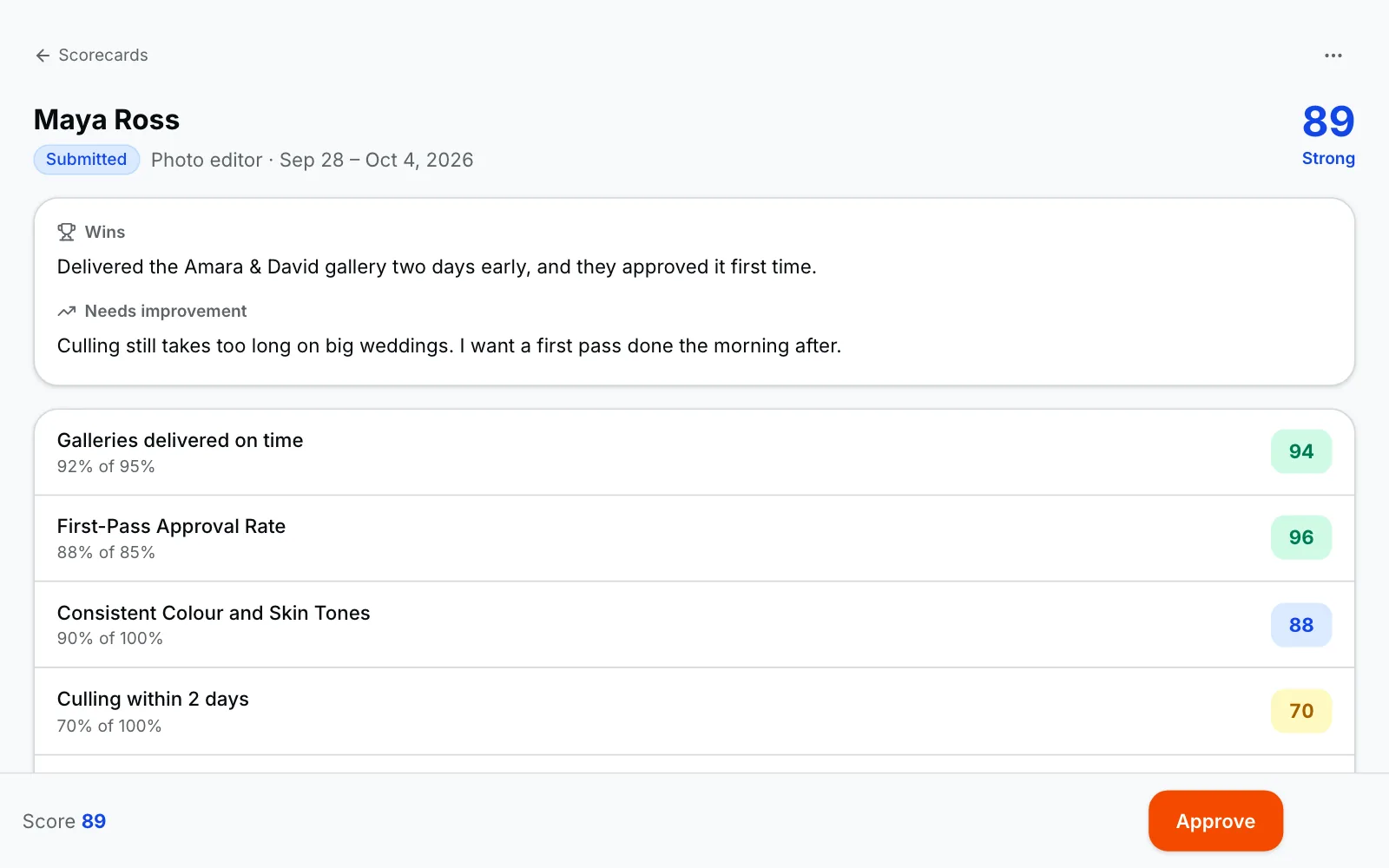
Deliver: every person’s picks, saved
Anyone with the gallery link can heart photos once they confirm their email with a code. You see each person’s picks on the job.
Open it in bckendIQ →
Questions people ask
- Is bckendIQ a CRM?
- Yes, and more. It keeps every client and message in one place, and runs the job, the gallery, the crew and the money.
- Does bckendIQ send messages for me?
- AI never does: it writes a draft, and you edit and send it yourself. Reminder emails you switch on, like a deposit reminder, go out by themselves.
- How much does bckendIQ cost?
- Studio is $49 a month and Studio Pro is $89 a month. Current offers are on the Pricing page.
Sources
bckendIQ runs enquiries, contracts, payments, galleries and crew for photo and video studios, in one place. Start free, no card needed →