

Galleries · For photographers
Photo proofing lets clients pick, so you edit only what they chose
By Jide Odukoya, Founder3 min read
The short answer
Photo proofing is when a client looks through a gallery of preview photos and picks the ones you will finish. Their picks decide what you retouch, print or put in the album.
You send the proof gallery on Monday, and by Friday only mum's list is left. One photographer's review describes a glitch that causes “a client's favorites to simply disappear”.
How does photo proofing work?
Photo proofing works in five steps. The client chooses in the middle, and you finish only what they chose.
- Cull the shoot and give the keepers a light, even edit.
- Upload them to a proof gallery as watermarked or smaller previews.
- Send the link with clear rules: how many to pick, and by when.
- The client hearts their favourites and sends the list back.
- You find those frames in your RAW files, retouch them and deliver.
For a mini session, you might skip it and deliver every edited frame. Just say in the contract which one the client is buying.
How many photos should a client pick?
A client should pick as many photos as their package pays for. If the package includes 30 retouched images, ask for their top 30.
Give them that number, because the gallery is big. In Aftershoot's 2024 survey of over 500 photographers, the biggest group (43.9%) delivered 500 to 1,000 images per client.
For an album, the album maker Queensberry suggests 80 to 120 images for a 20-page wedding album. Let the page count set the picks.
Put the number in the contract and in the gallery email. Then set a date, because open-ended picking drags.

What if mum and the maid of honour want to pick too?
Let them, because family is often the point. In Zola's 2026 First Look Report, 74% of couples said the wedding is about bringing family and friends together.
Just keep each person's favourites in their own list. Give the couple the final say, because shared lists are where picks get lost.
- Ask each helper to pick under their own name or email.
- Tell the couple their list is the one you edit from.
- Check the helpers' lists for frames the couple missed, like grandparents or the cake.
- Set one deadline for everyone, so one slow picker doesn't hold up the edit.
How bckendIQ handles it
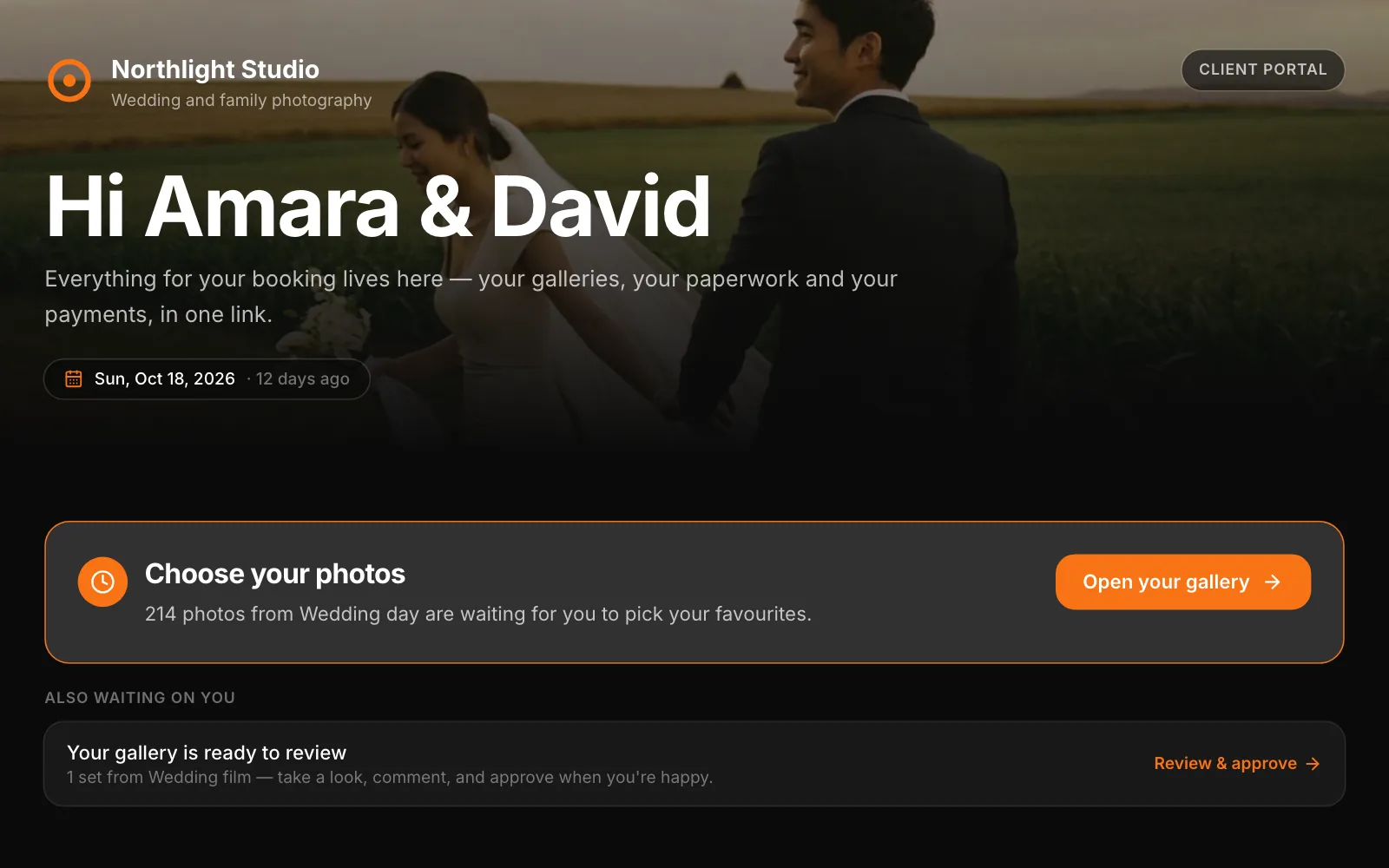
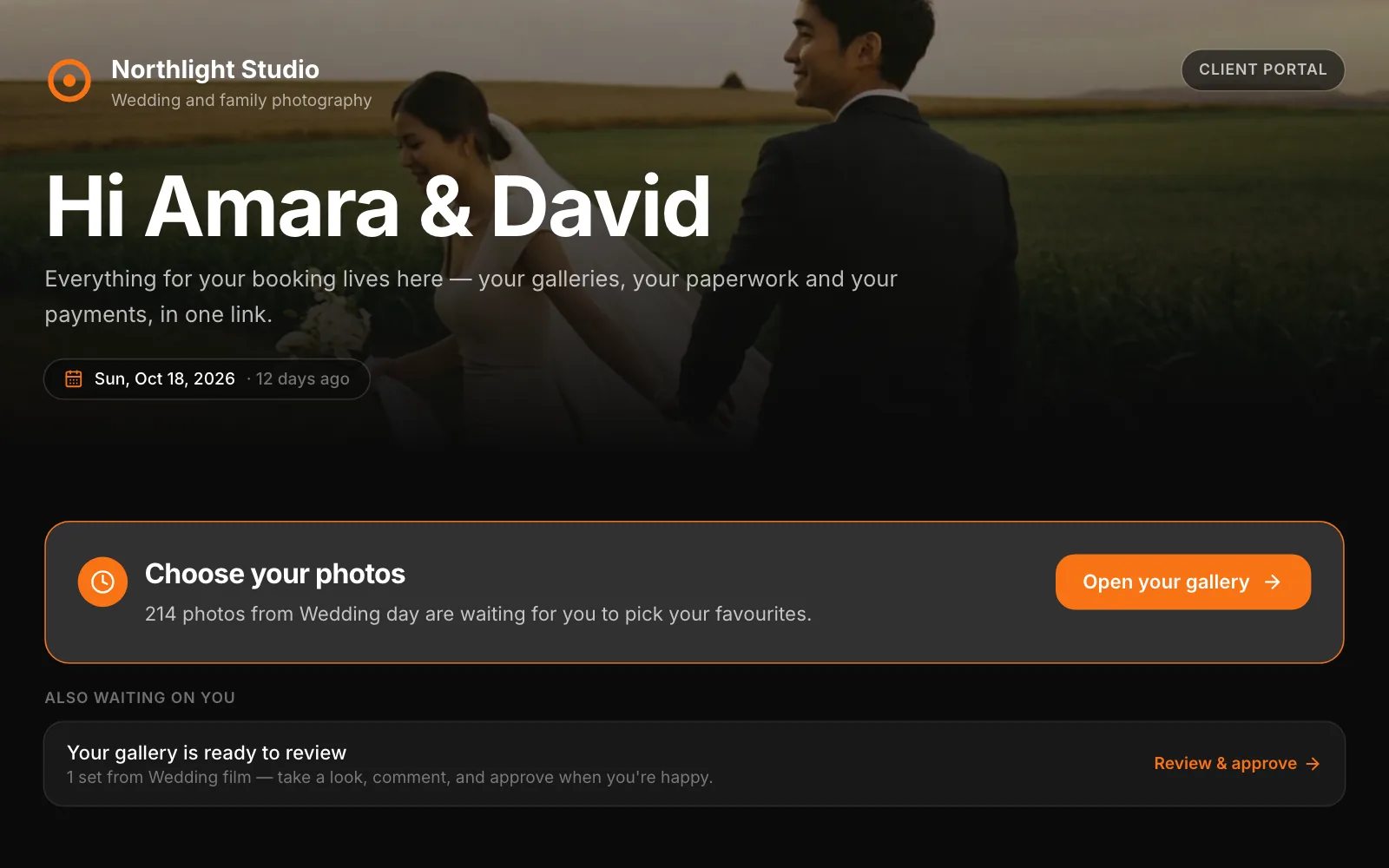
In bckendIQ, the proof gallery, the picks and the changes all live on the job.
- 1
Previews stay previews
On a proof set, clients receive only the stamped preview. The clean full-size file is never sent to their browser.
Open it in bckendIQ → - 2
Everyone picks under their own email
Anyone with the gallery link can heart photos once they confirm their email with a 6-digit code. You see each person's list on the job and copy its filenames in one tap.
Open it in bckendIQ → - 3
Picks go straight into Lightroom
On a client's selection, press Open in Lightroom. The plug-in for Lightroom Classic gathers their picked frames from your RAWs into one collection.
Open it in bckendIQ →
Questions people ask
- What is a proof in photography?
- A proof is a preview of a photo, not the finished file. It may carry a watermark or be smaller than full size.
- Is photo proofing the same as delivering the gallery?
- No. The proof gallery uses previews, and delivery comes after with the finished, full-size photos.
- Can clients change their picks after sending them?
- Yes, if you allow it. Say in the contract how many rounds of swaps are included, so a second round doesn't become a fifth.
Sources
bckendIQ runs enquiries, contracts, payments, galleries and crew for photo and video studios, in one place. Start free, no card needed →