

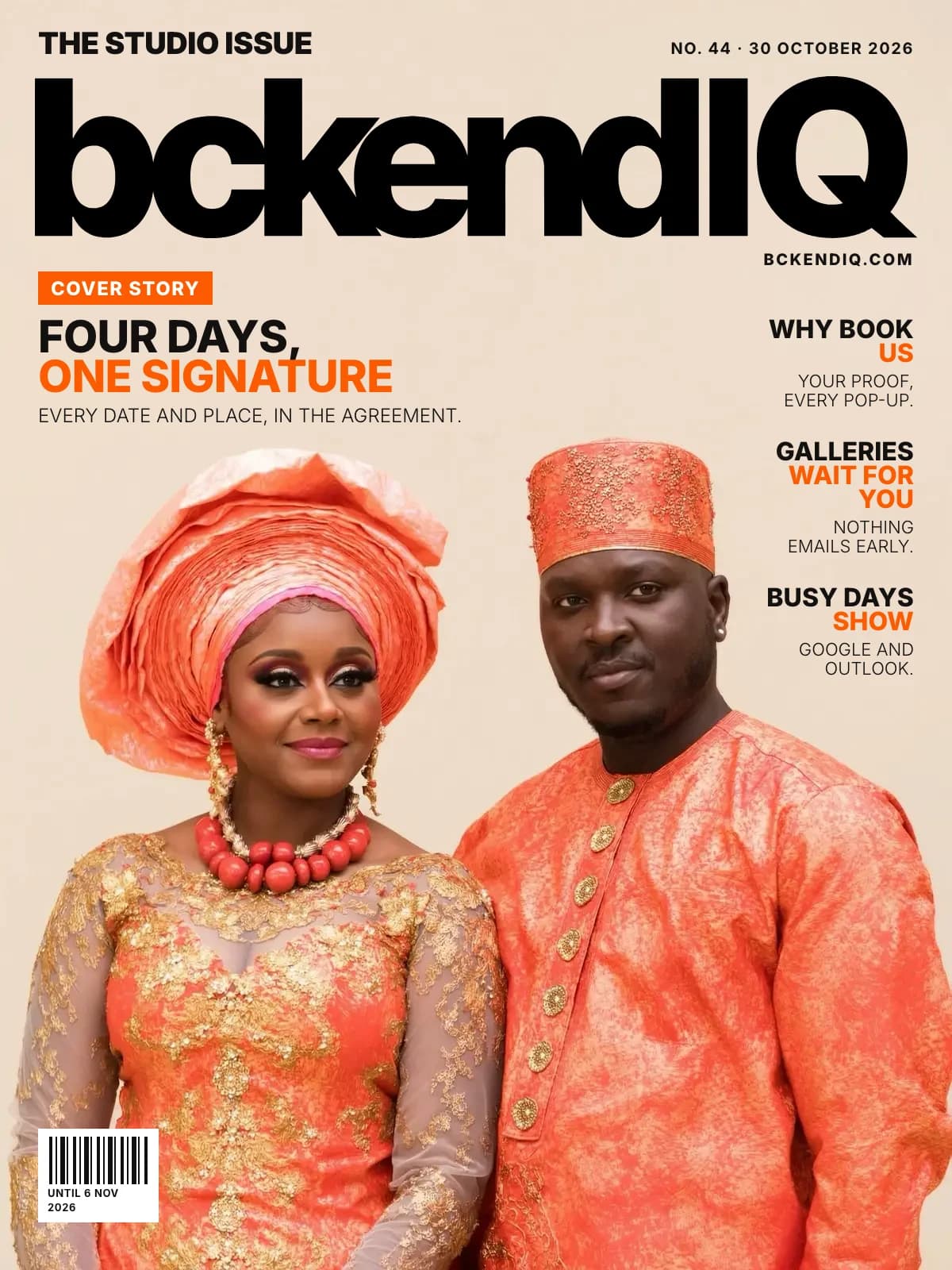
The studio issue · No. 44
Your couple has three wedding days. Your contract has one date
By Jide Odukoya, Founder6 min read3 problems
The couple has a traditional wedding in Lagos on Saturday. They have a church wedding on Sunday, then four days in Jamaica. Your booking tool has one box for a date.
Three problems almost every creative knows. Each one is below, with what bckendIQ did about it. Every other change from the week sits at the bottom, closed.
Problem 1
Your couple has three wedding days, and your contract has room for one
A Nigerian wedding can be a traditional on Saturday, a church service on Sunday and a few days away after. Most booking tools hold one date and one place. So the contract names day one, and the rest lives in WhatsApp.
“Does anyone know how to add an additional day for your wedding if your wedding is on more than one day?”
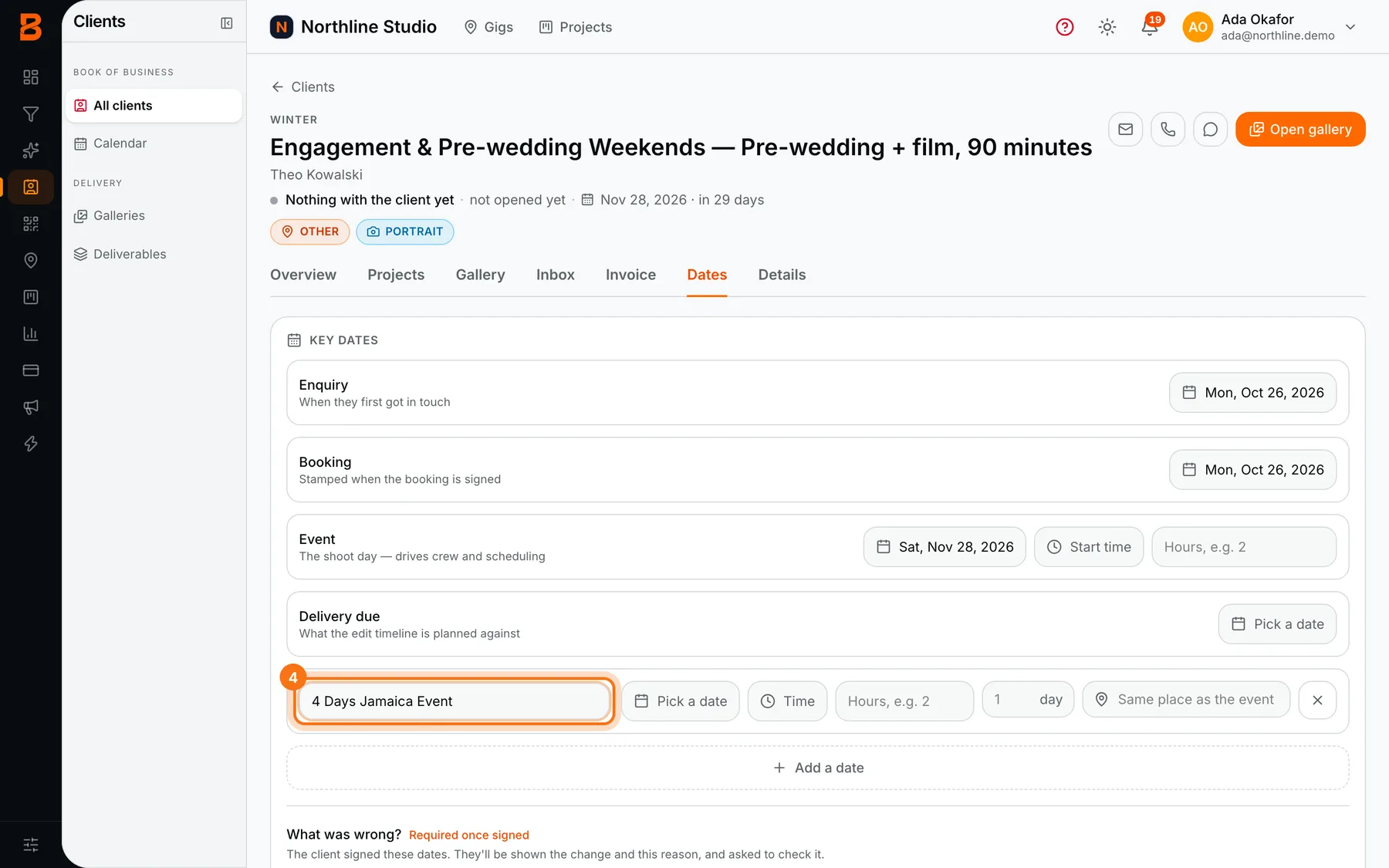
How bckendIQ solves it. On bckendIQ you add each date with its own place and how many days it runs. The invoice shows every one, and the client signs once for all of them. The agreement lists every date and place above the signature lines.
Problem 2
Couples write to five studios, and your booking page only lists prices
A couple comparing studios sees a row of prices. Nothing tells them why you are worth more than the next one. The Knot Worldwide studied 10,474 US couples married in 2025. Its 2026 study found 37% reached out to more vendors than they first planned. So the choice is made before you speak.
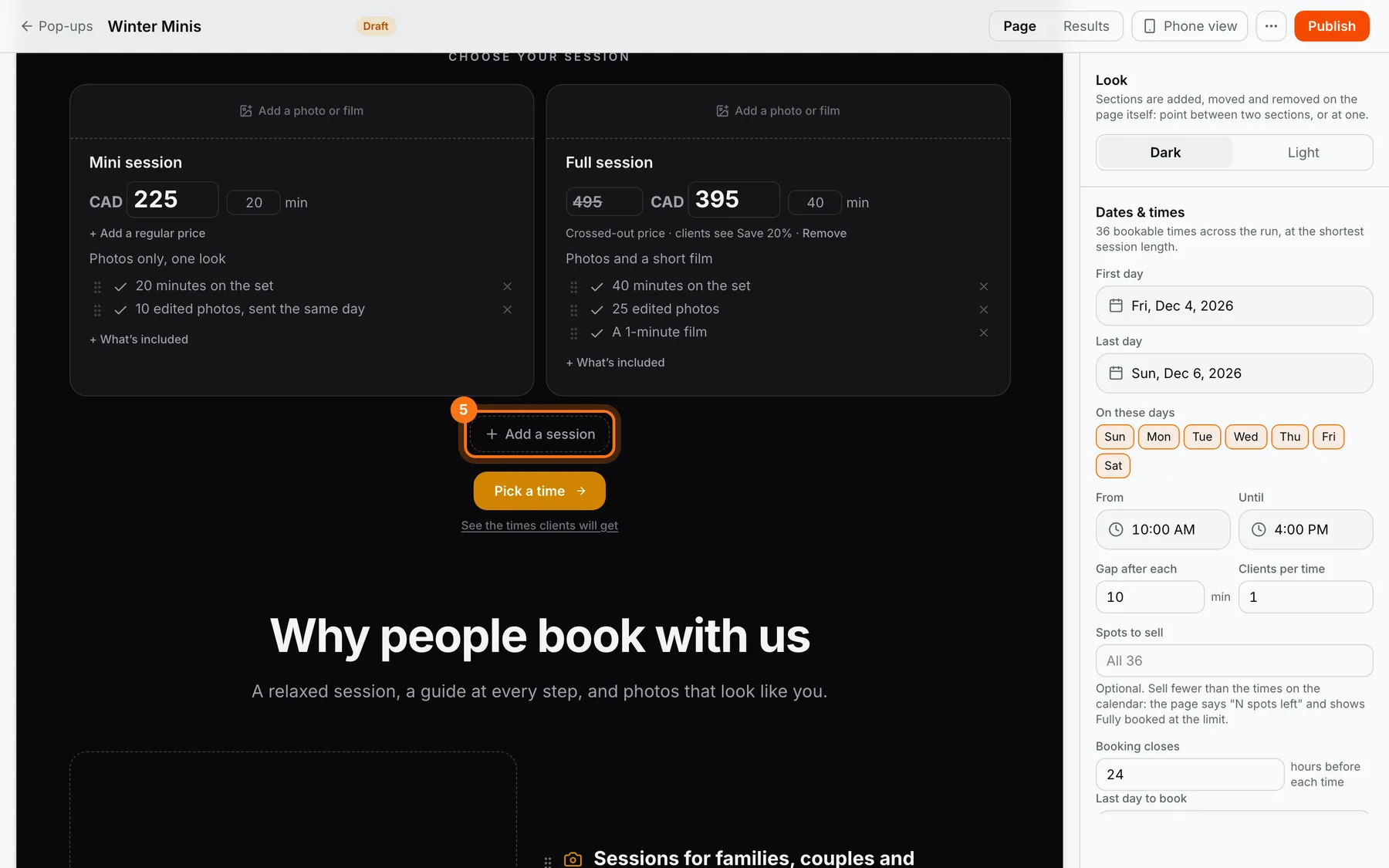
How bckendIQ solves it. Your pop-up can now carry a Why book us section. Add a photo or film, up to four proof points, your story and a button. The writer drafts the story and the button for you to edit. It never writes your proof.
Problem 3
A busy day on your phone calendar never reached your booking calendar
You block Saturday on your phone for a friend's wedding. Your booking tool never heard. The slot still looks open, and a client takes it. One bride on the WeddingWire forum wrote about the result.
“My wedding photographer just notified me that she accidentally double booked my wedding next Saturday.”
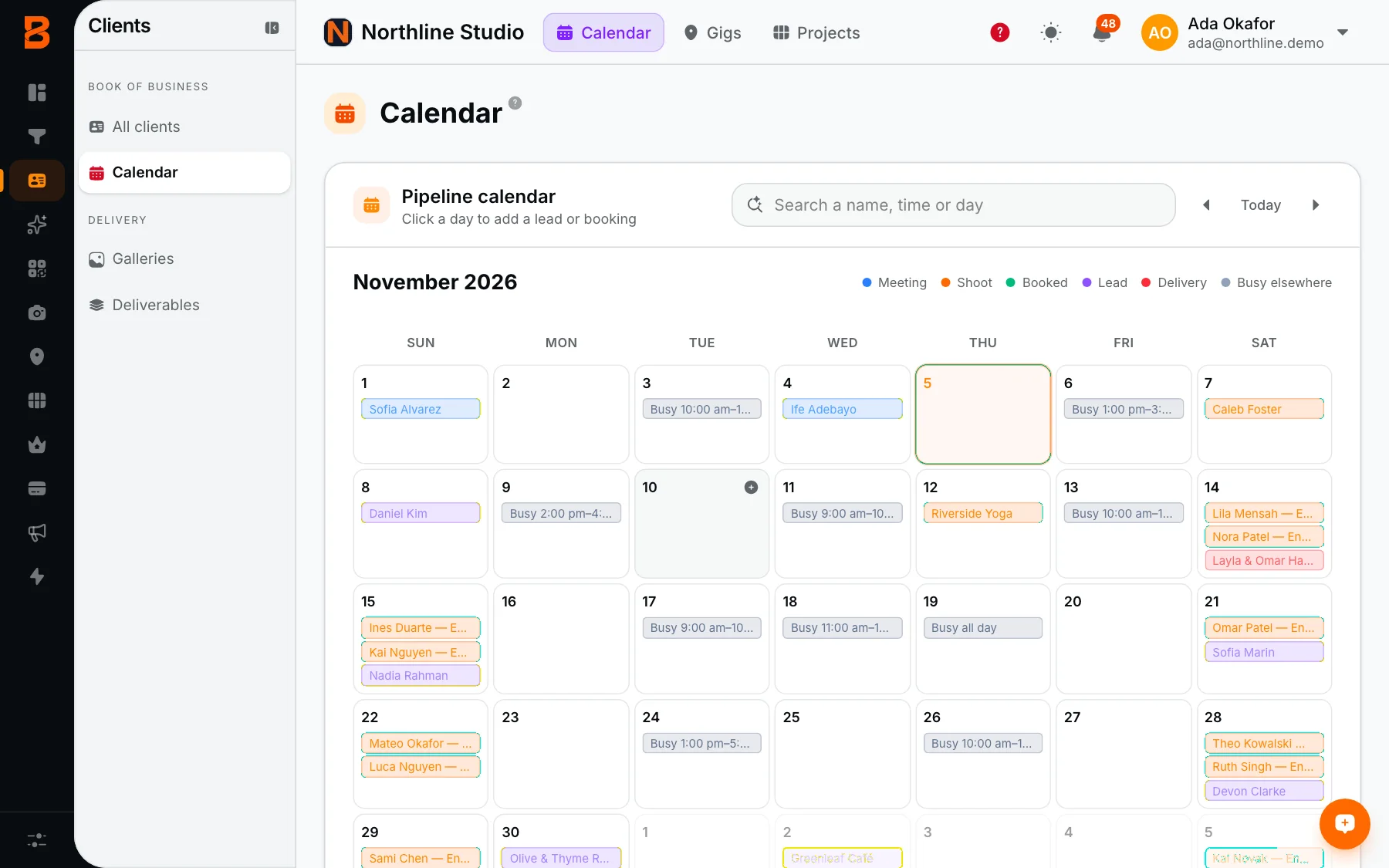
How bckendIQ solves it. Your Google and Outlook busy times now show on the bckendIQ calendar as grey pins. You can see why a slot is gone. Two clients can no longer book the same consultation slot either.
Every change this week (23)
A date can be somewhere else, for several days, and the client signs for all of them
Each extra date takes its own place and a run of days. The invoice and the confirm step show every one.
Open it in bckendIQ →The agreement names every date and place
With more than one date, a Dates and places clause sits above the signatures. A Help guide shows how.
Open it in bckendIQ →A job over several days stays upcoming until its last day is over
Gigs, My Shifts and crew check in follow the last date. This week on the Overview pins every day.
Open it in bckendIQ →Pop-ups gain Why book us: a photo or film, proof points, your story and a button
The writer drafts the story and button, never your proof.
Open it in bckendIQ →A session can show a sale price, crossed out with a Save % chip
Test up to four headlines, and copy a session card.
Open it in bckendIQ →New pop-ups start from three templates, with About the photographer
After they book plays a film you edit on the page. Every film is made ready for phones.
Open it in bckendIQ →Moving a set into Client Approval no longer emails the client
A Send to client switch does, and opens the letter for you to edit first.
Open it in bckendIQ →The gallery page puts the client, Logo and Wait ’n’ Get on its title row
Big galleries now open a screen at a time.
Open it in bckendIQ →Wait ’n’ Get galleries show as table cards with your designed QR, big
Tick galleries to bin, restore or delete them. Guests can tick a box to join your lead bank.
Open it in bckendIQ →Your Google and Outlook busy times show on the calendar as grey pins
And two clients can no longer book the same consultation slot.
Open it in bckendIQ →Add staff and Add contractor walk through one question at a time
Hiring a second shooter or an editor took three pages in two menus. Now it is one page, and nothing saves until the end.
Open it in bckendIQ →A card dropped on a full day lands, and that lane slides right to make room
A card drags only itself, and a phone swipe keeps your place.
Open it in bckendIQ →Search finds tasks as well as projects, on every view
Workflow narrows to the matching tasks.
Open it in bckendIQ →Add people to a Broadcast by typing, a card, a screenshot or an NFC tap
Or share a join link. Nobody is added until you press Add.
Open it in bckendIQ →Send me a test can go to any address you type
So an assistant can check an email before it goes out.
Open it in bckendIQ →The Settings icon opens Overview, your studio at a glance
One tile per area, each a link to the page that changes it.
Open it in bckendIQ →Delete every earlier cut from the Storage page in one press
Each film keeps the version it is on. The cuts wait in the bin for 30 days.
Open it in bckendIQ →Two factor sign in sits on your own My Profile, with a reminder after you sign in
Google sign in no longer asks for a code.
Drag a questionnaire question up or down by its grip
Long press on a phone, or space and arrows on a keyboard.
Open it in bckendIQ →Adjust pay takes extra hours and an extra amount together
It shows the gross, and Paid rows line up on a phone.
Open it in bckendIQ →New narrated Help videos for Add staff, Add a contractor and crew pay
Older videos follow the new menu.
The website tells booked, signed, paid, and the blog answers your questions
Four shelves of answers, and Book a Setup Call in the menu.
See it →Smaller fixes across the app
Emails come via bckendIQ, and a set dragged out of Approved lets the client keep choosing.
Open it in bckendIQ →
Questions about this week
- How do I book a destination wedding over several days?
- Add each date with its own place and how many days it runs. The client sees every date on the invoice and signs for all of them.
- What should my contract say for a wedding over several days?
- Every date and every place. With more than one date, a Dates and places clause sits above the signature lines, unless your wording already lists them.
- How do I stand out from other photographers on my booking page?
- Add Why book us to your pop-up: a photo or film, up to four proof points, your story and a button.
- How do I stop double booking myself?
- Connect your Google or Outlook calendar. Your busy times show on the bckendIQ calendar as grey pins, so you see why a slot is gone.
bckendIQ runs enquiries, contracts, payments, galleries and crew for photo and video studios, in one place. Start free, no card needed →