

The studio issue · No. 43
Your day starts in five tabs. Now it starts in one
By Jide Odukoya, FounderUpdated 6 min read3 problems
It is 8am. Three tabs are open and a shoebox of receipts sits by the door. A couple is waiting on an email you cannot find.
Three problems a lot of creatives know well. Each one is below, with what bckendIQ did about it. Every other change from the week sits at the bottom, closed.
Problem 1
Your day starts in five tabs and a WhatsApp group
Enquiries arrive by text, WhatsApp, email and Instagram. Bookings sit in one app and money in another. ShootProof's 2026 survey of 4,916 photographers found 45% use no business software at all, and 31% track projects in spreadsheets.
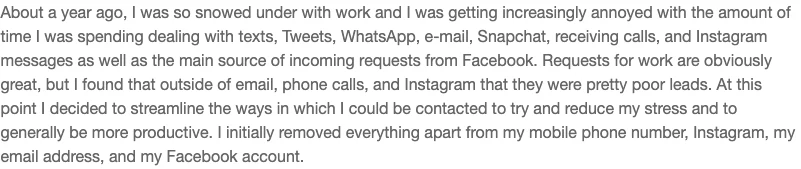
“I was getting increasingly annoyed with the amount of time I was spending dealing with texts, Tweets, WhatsApp, e-mail, Snapchat, receiving calls, and Instagram messages”
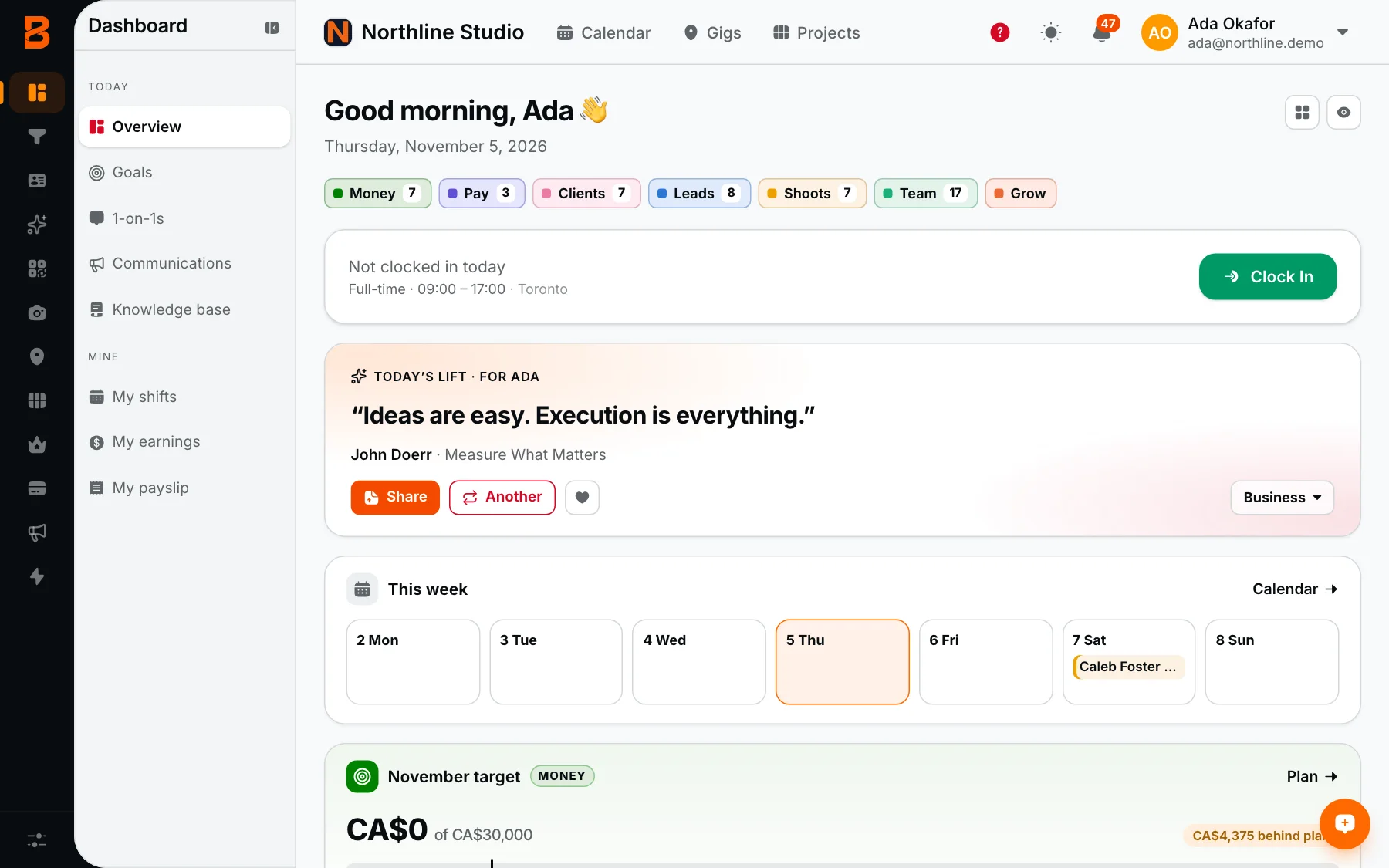
How bckendIQ solves it. The new Overview opens your studio's day on one page. Each part of the business has its own colour, and your team sees their own day. You can nudge a lead or pay someone without leaving it. Each message opens pre-written for you to edit. Nothing sends itself.
Problem 2
A shoebox of receipts hides what a shoot really cost
You shoot all weekend. The week after goes on sorting receipts and chasing invoices. By the end of the month, nobody can say what the last wedding cost to deliver.
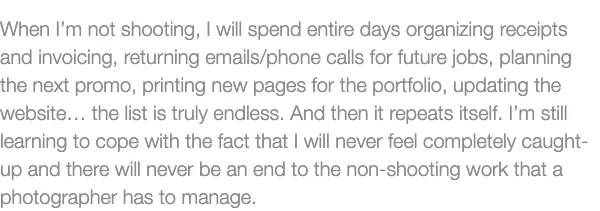
“When I’m not shooting, I will spend entire days organizing receipts and invoicing, returning emails/phone calls for future jobs”
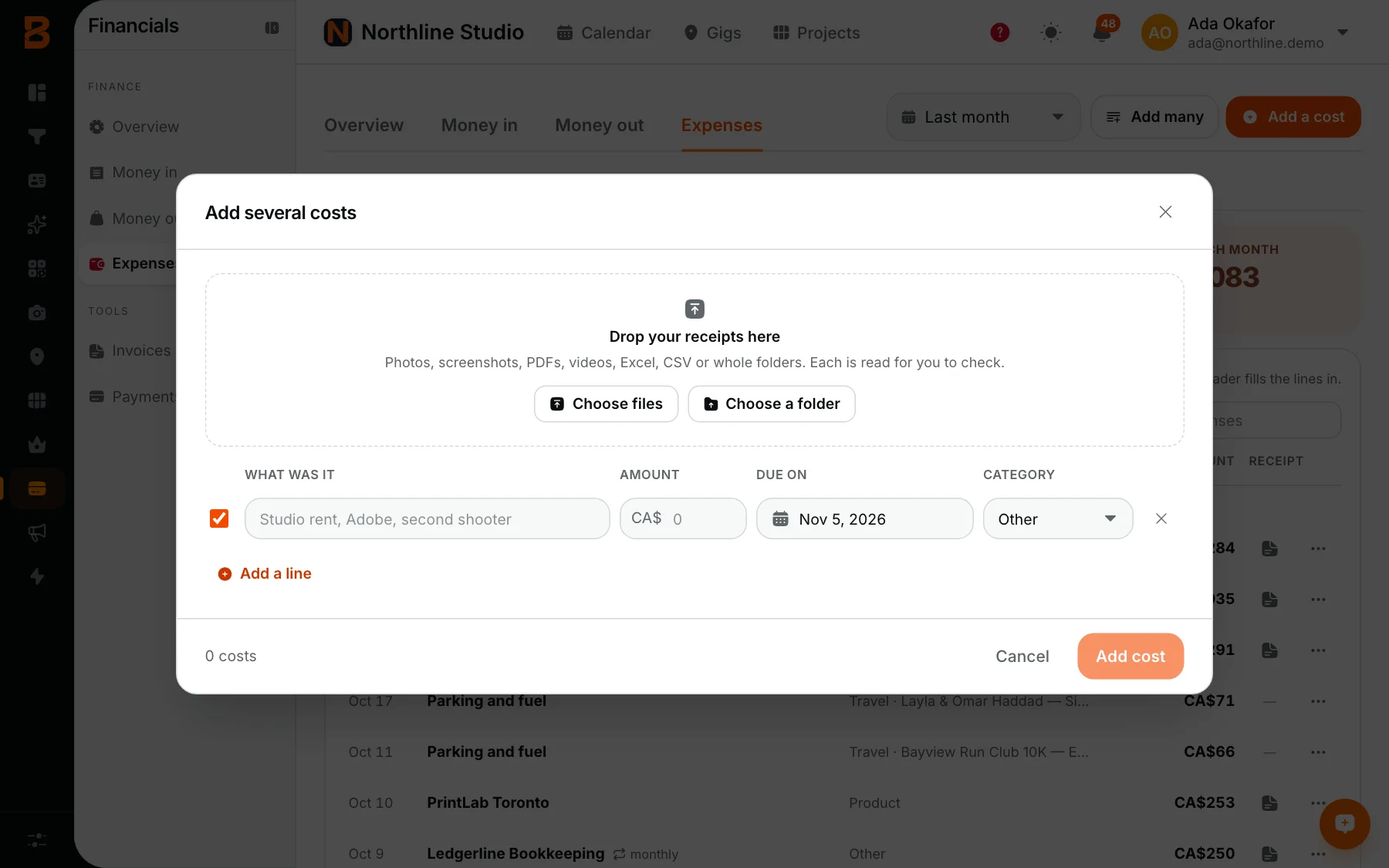
How bckendIQ solves it. Drop a shoebox of receipts into Financials: photos, PDFs, Excel files or whole folders. AI reads them all. You check the list, then save. Each night a Books review flags double costs, late or mismatched invoices and jobs that lose money. It never edits your books.
Problem 3
The couple's reply lands in a different inbox from the lead
An enquiry starts as a lead. Once the couple books, they become a client, and their replies live somewhere else. The email you owe sits unseen. HoneyBook's own 2026 survey of 425 US photographers found 30.4% lose bookings because they cannot reply to enquiries fast enough.
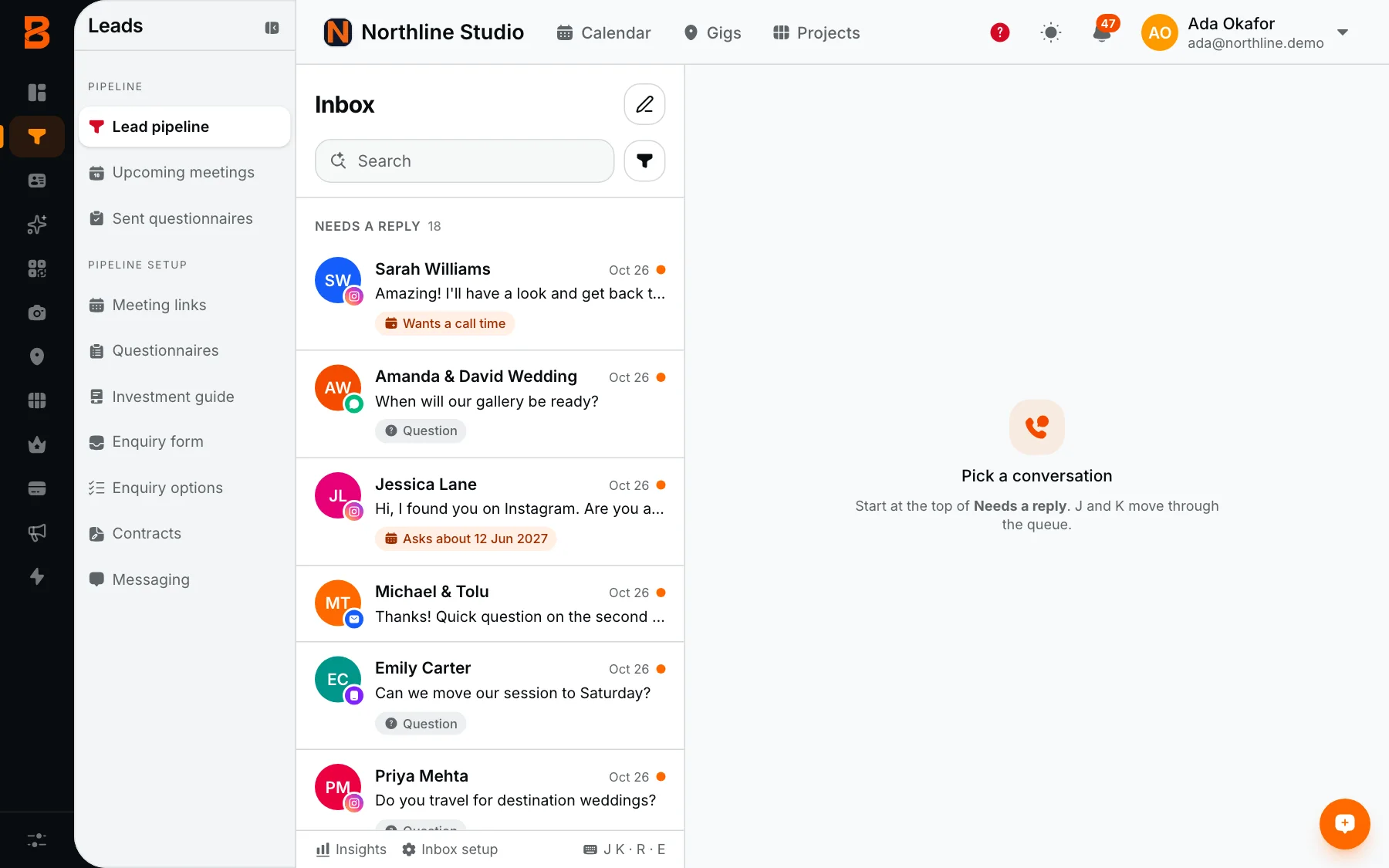
How bckendIQ solves it. Leads and clients share one Inbox. It shows every email sent, every reply and what goes next. A client's Messages tab reads the same way, so the thread never splits in two.
Every change this week (29)
The new Overview opens every studio's day
Each part of the business has its own colour. Staff see their own day, and the weather joins the greeting.
Open it in bckendIQ →Arrange the Overview: move, resize or hide your own cards
It opens on Clock In, then Today's lift, then This week. Reset brings that order back.
Open it in bckendIQ →Clock in and out on the Overview, and see what is still open
Clocking out lists late tasks, work due today and unanswered mentions first.
Open it in bckendIQ →Nudge a lead or pay someone without leaving the Overview
Each message opens pre-written over the page for you to edit. Nothing sends itself.
Open it in bckendIQ →Drop a shoebox of receipts and AI reads them all
Photos, PDFs, Excel files and whole folders. You check the list, then save.
Open it in bckendIQ →Every client has an Expenses tab
File a cost or a folder of receipts under a client, and see what they really cost you.
Open it in bckendIQ →A Books review flags what looks wrong, every night
Double costs, late or mismatched invoices and jobs that lose money. It never edits your books.
Open it in bckendIQ →Finance is three tabs: Overview, Money in and Money out
Money out counts a cost in the month it was due.
Open it in bckendIQ →Leads and clients share one Inbox
Every email sent, every reply and what goes next, with richer text. A client's Messages tab reads the same way.
Open it in bckendIQ →Meetings are on the calendar, and each day lists them first
Meetings and shoots come first by time. Every row opens its lead or client.
Open it in bckendIQ →A pop-up sells a set number of spots, and closes on a day you pick
At the limit the page says Fully booked. After the closing day it reads as ended.
Open it in bckendIQ →Broadcasts write with AI, send you a test and save drafts
Add pictures, video and a banner. AI fills the boxes, and you press Send now.
Open it in bckendIQ →See which lead pressed which link in your emails
Lead bank rows show how many times they clicked. Every link carries its source.
Open it in bckendIQ →Import leads from Excel, Word or a photo, and download them by tag
A download leaves out people who opted out or bounced, unless you tick Include them.
Open it in bckendIQ →Change who a sequence is for after you make it
On the web and on the phone.
Open it in bckendIQ →Crew pay is checked before you pay it
A flat fee beats hourly, and odd hours wait for you to settle them. Each person's pay shows in their own currency.
Open it in bckendIQ →Every payslip has a download
It makes a printable page you can save as a PDF.
Add files to a gallery, and skip what is already there
Or put a repeat up as version 2. A stopped upload carries on where it left off.
Open it in bckendIQ →Create a client right on a gig, and rename it from its page
Pick Existing or New, then give the job a name.
Open it in bckendIQ →Clients pick their venue on a map
The full address goes into the agreement and onto the booking.
Open it in bckendIQ →A moved date goes back to the client to confirm
Before their yes, they confirm again. After it, they get a correction.
Open it in bckendIQ →Guest Gallery is now Wait ’n’ Get
Every guest has a Gallery link, and the pass shows the total photos found.
Open it in bckendIQ →A 1-on-1 is a video call with a link, or in person at a place
Leave the link blank and a Meet link is made, if your account is connected.
Open it in bckendIQ →Search every notification from the bell
Find an old tag, mention or comment across your whole history.
Project tiles show percentages: late, on time, assigned, due and delivered
See the share of work at a glance.
Open it in bckendIQ →Step by step guides, with narrated videos, inside the app
A Help icon beside Setup opens 12 chapters.
Smaller fixes across the app
Late work shows on your plate, weather finds a town saved without a comma, and phone pages scroll to their end.
Open it in bckendIQ →
Questions about this week
- How do I keep track of what I spend on shoots?
- Drop your receipts into Money out and AI reads them into a list. You check it and save, and the Books review looks for double costs every night.
- Can I hide cards on the Overview?
- Yes. Press Arrange to move, resize or hide your own cards. Reset puts them back. Pay always stays on the page.
- Does AI save my receipts for me?
- No. AI reads them into a list. You edit it, and nothing is saved until you press Add.
- Does the Books review change my numbers?
- No. It says what looks wrong, why it matters and what to do. It never edits your books.
bckendIQ runs enquiries, contracts, payments, galleries and crew for photo and video studios, in one place. Start free, no card needed →