

The studio issue · No. 42
You promised the couple a date. Nobody planned the edit
By Jide Odukoya, FounderUpdated 5 min read3 problems
You told the couple their film would be ready by Christmas. Nobody told your editor, so the date is a hope, not a plan.
Three problems a lot of creatives know well. Each one is below, with what bckendIQ did about it. Every other change from the week sits at the bottom, closed.
Problem 1
You promised a delivery date, and nobody planned the edit
The couple hears ready by Christmas. The edit has no editor, no hours and no date in anyone's plan. So the promise is a hope, and the couple starts counting weeks.
“He never produced the teaser video that we were supposed to get within one week, and then we never got the five-minute highlight film”
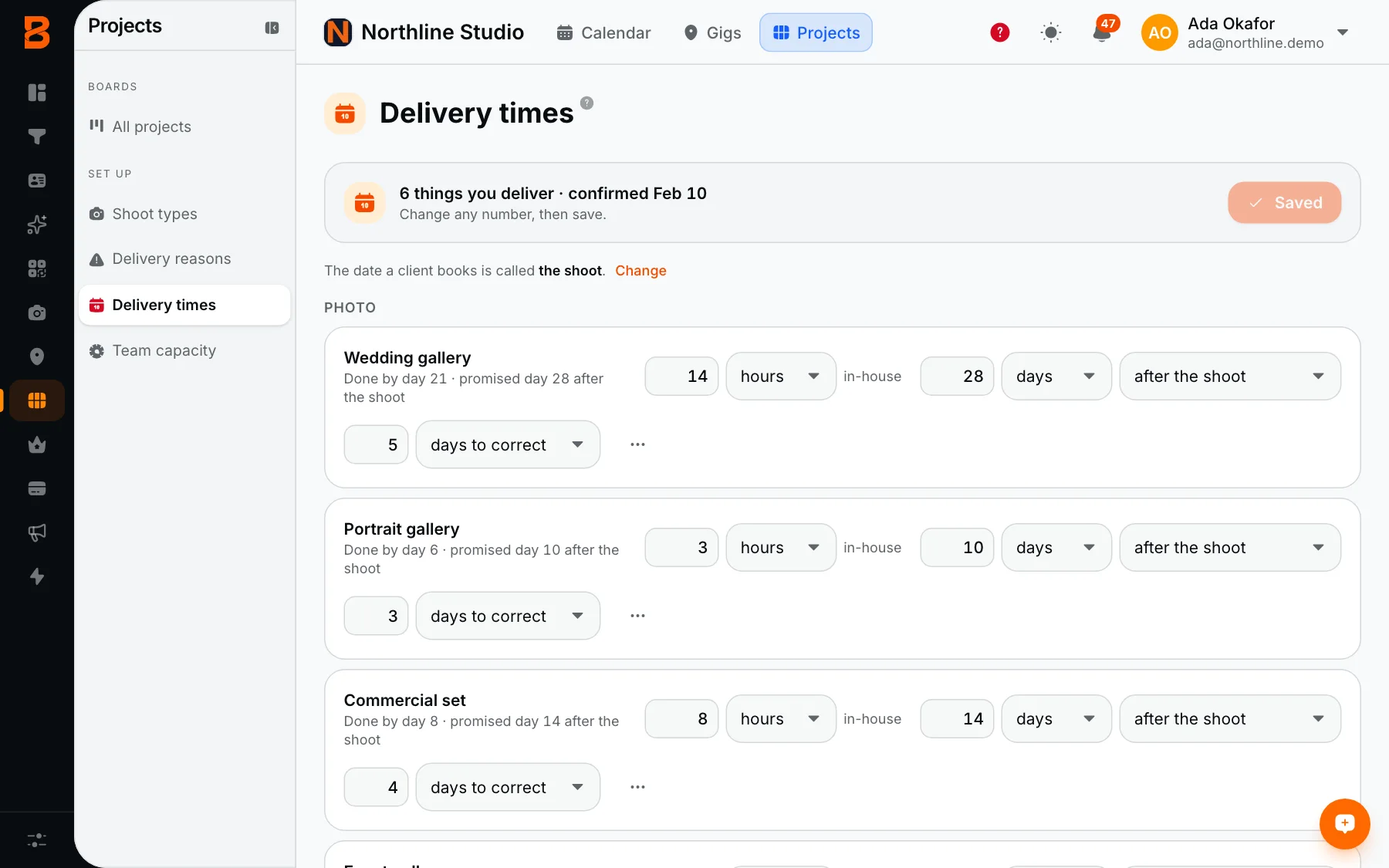
How bckendIQ solves it. Set your delivery times once: your hours, your promise and time for changes. They arrive filled in, or AI drafts them for you to confirm. Paid bookings then follow them. Planned edits show Done by and Promised, and a light warns when one slips. A full day says no and suggests another time. A moved wedding suggests a new plan for you to apply.
Problem 2
A couple finds your website and has nowhere to ask
A couple likes your gallery on your own website. There is no button to ask about their date, so they close the tab. Easy Weddings' 2025 annual survey found 66% of couples book the first supplier who responds.
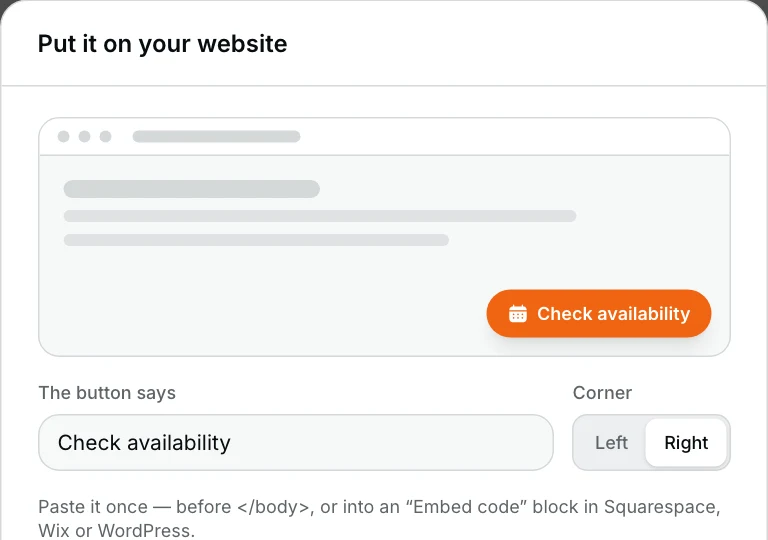
How bckendIQ solves it. Add a Check availability button to your own website. Paste one line into Squarespace, Wix or WordPress. Enquiries land in Leads, ready for you to answer.
Problem 3
Couples message on WhatsApp and you answer by email tonight
A lead writes in the evening. You reply by email the next day, and by then they have talked to two other studios. Easy Weddings' survey found 87% of couples prefer replies by email or message.
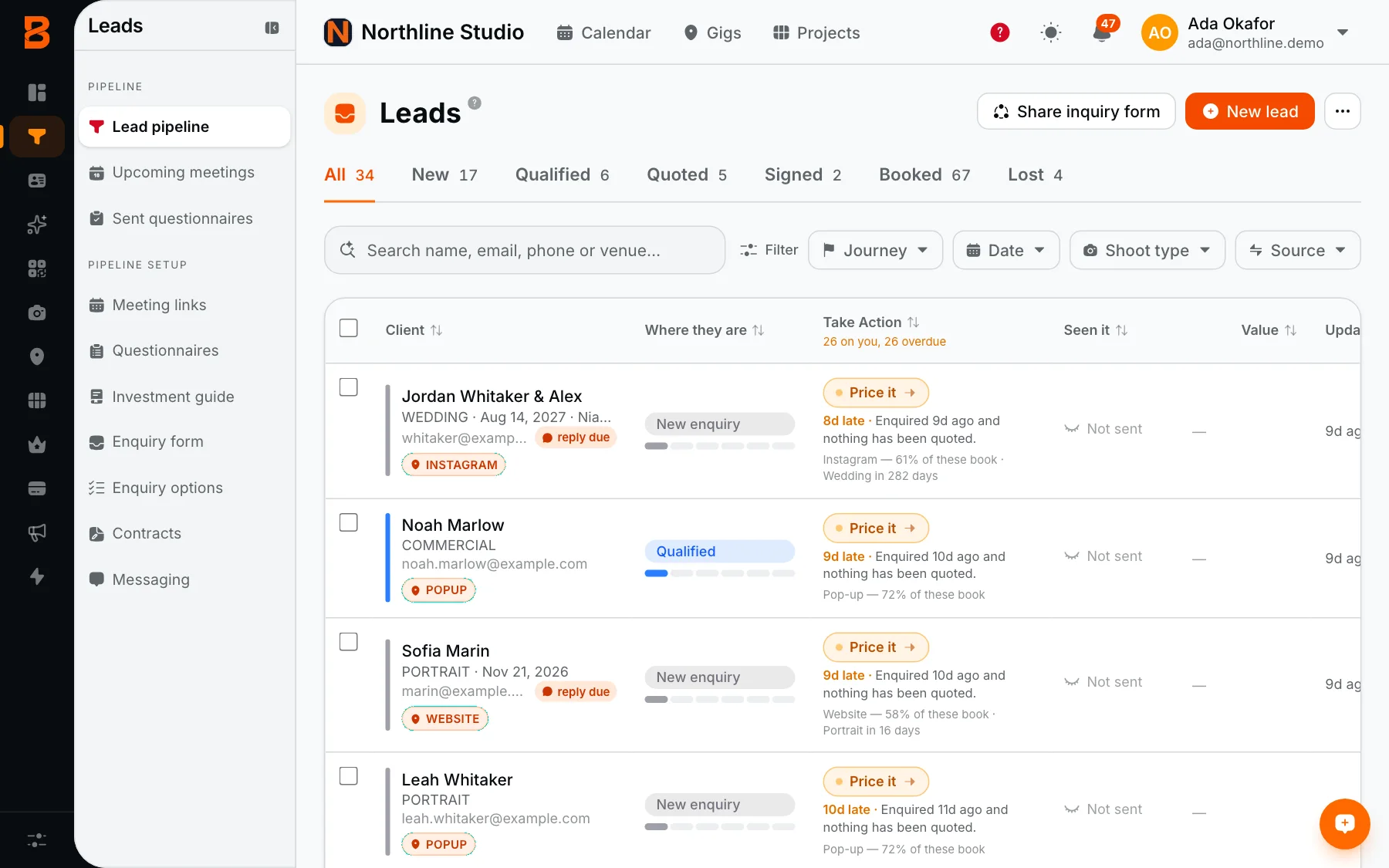
How bckendIQ solves it. Tap WhatsApp beside a lead's number, on any row, and start the chat in one click. Each email sequence also says who gets the next email and when. Send now mails the people waiting today.
Every change this week (26)
Set your delivery times once, and paid bookings follow them
Hours, promise and time for changes arrive filled in, or AI drafts them. You confirm.
Open it in bckendIQ →Pop-ups test two headlines and keep the one people pay on
Visitors see each in turn. AI drafts the next pair for you to test.
Open it in bckendIQ →A full day says no, and suggests another time
It offers their next days with room, or a teammate with room that day.
Open it in bckendIQ →Each sequence says who gets the next email, and when
Send now mails the people waiting today, and held people restart where they stopped.
Open it in bckendIQ →WhatsApp a couple in one click from any lead
It sits beside the number and on every row.
Open it in bckendIQ →Planned edits show Done by and Promised
Hours are held for changes, and a light warns when an edit slips.
Open it in bckendIQ →A moved wedding suggests a new plan for you to apply
Time off over planned edits works the same way.
Open it in bckendIQ →Your own kinds of work go to the right person
Add Retouching, and your Retoucher gets it, read off their title.
Open it in bckendIQ →Assign, move or merge tasks, and duplicate a project
Merge joins two tasks into one, and Split back undoes it.
Open it in bckendIQ →A task dated outside its project moves to that day
It lands on its person's Timeline, with Undo.
Open it in bckendIQ →Filter All Projects by day, week or month
The tiles count that period, and Back returns to the Timeline day you left.
Open it in bckendIQ →Pop-ups take discount codes, switched on per pop-up
A shared link can apply the code for them.
Open it in bckendIQ →Pop-up banners play up to 10 photos and films
AI drafts the words from your prices. Nothing saves until you do.
Open it in bckendIQ →A pop-up's sessions join your Investment Guide
Price a lead who picked one, and those sessions come first.
Open it in bckendIQ →Pricing a booking now fits a phone
No sideways scroll, and “Something else” opens in place.
Open it in bckendIQ →Every gallery on the list shows its cover
View gallery opens the page your client sees.
Open it in bckendIQ →Google Calendar now asks only for your busy times
A failed connect now says why, with Try again.
Open it in bckendIQ →A wrong email address is fixed, or never imported
“gmail.c” becomes gmail.com, and a bounced address never gets the next email.
Open it in bckendIQ →Your studio's name and logo show right in the top bar
Company profile now renames it there, and logos lose the white frame.
Open it in bckendIQ →Setup is shorter, and ends with your delivery times
One password box, and Skip for now on optional steps.
Open it in bckendIQ →A role's onboarding guide names your studio
AI uses your country and currency, not a default.
Open it in bckendIQ →The blog: short answers for studios, read aloud
Nine posts, from deposits to RAW files, each with Listen.
See it →Smaller fixes across the app
Sequence emails save themselves, guide photos lose their dark band, and Timeline cards name the shoot type.
Open it in bckendIQ →
Questions about this week
- How long should I promise a couple for their photos and film?
- Set your own delivery times once, in Setup: your hours, your promise and time for changes. Paid bookings are then planned to them, and each planned edit shows Done by and Promised.
- How do I get couples to enquire from my own website?
- Paste one line into Squarespace, Wix or WordPress. A Check availability button then opens your enquiry form, and enquiries land in Leads.
- What if I skip my delivery times?
- Paid bookings get undated tasks and one alert. Studios already booking keep the old planner until 28 October.
- Does AI put new pop-up headlines live?
- No. It drafts them, and nothing goes live until you press Test it.
bckendIQ runs enquiries, contracts, payments, galleries and crew for photo and video studios, in one place. Start free, no card needed →