

The studio issue · No. 38
Your editor has two free hours. The schedule says busy
By Jide Odukoya, FounderUpdated 4 min read3 problems
Your editor has two hours free on Tuesday, but the schedule shows a busy day.
Three problems a lot of creatives know well. Each one is below, with what bckendIQ did about it. Every other change from the week sits at the bottom, closed.
Problem 1
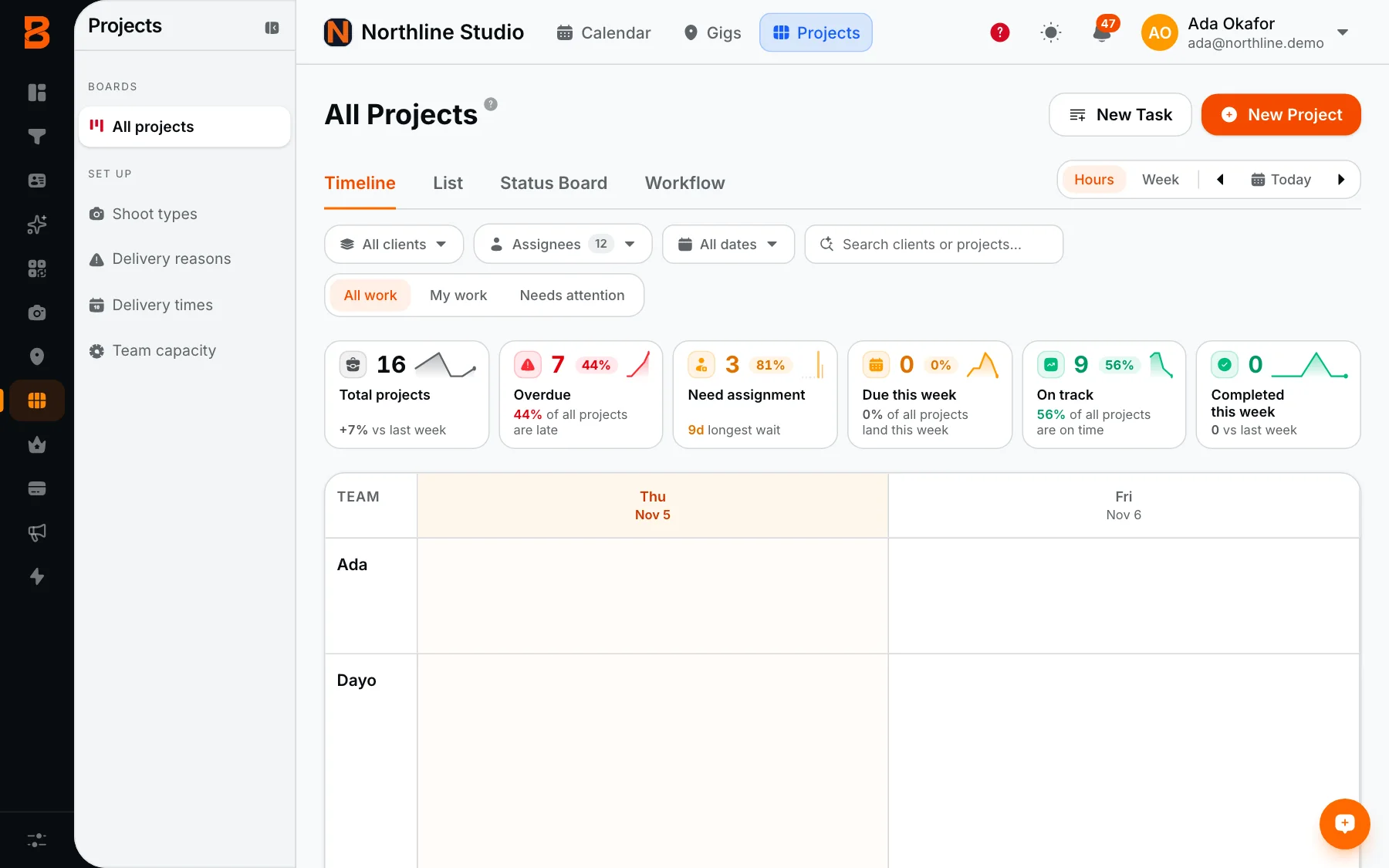
Your editor has two free hours, and the schedule shows a full day
You book an editor for a whole day. They have two hours of room on Tuesday that nobody can use. Meanwhile another couple waits for their edit.
How bckendIQ solves it. Give one editor 2 hours for one couple and 5 for another, on one day.
Problem 2
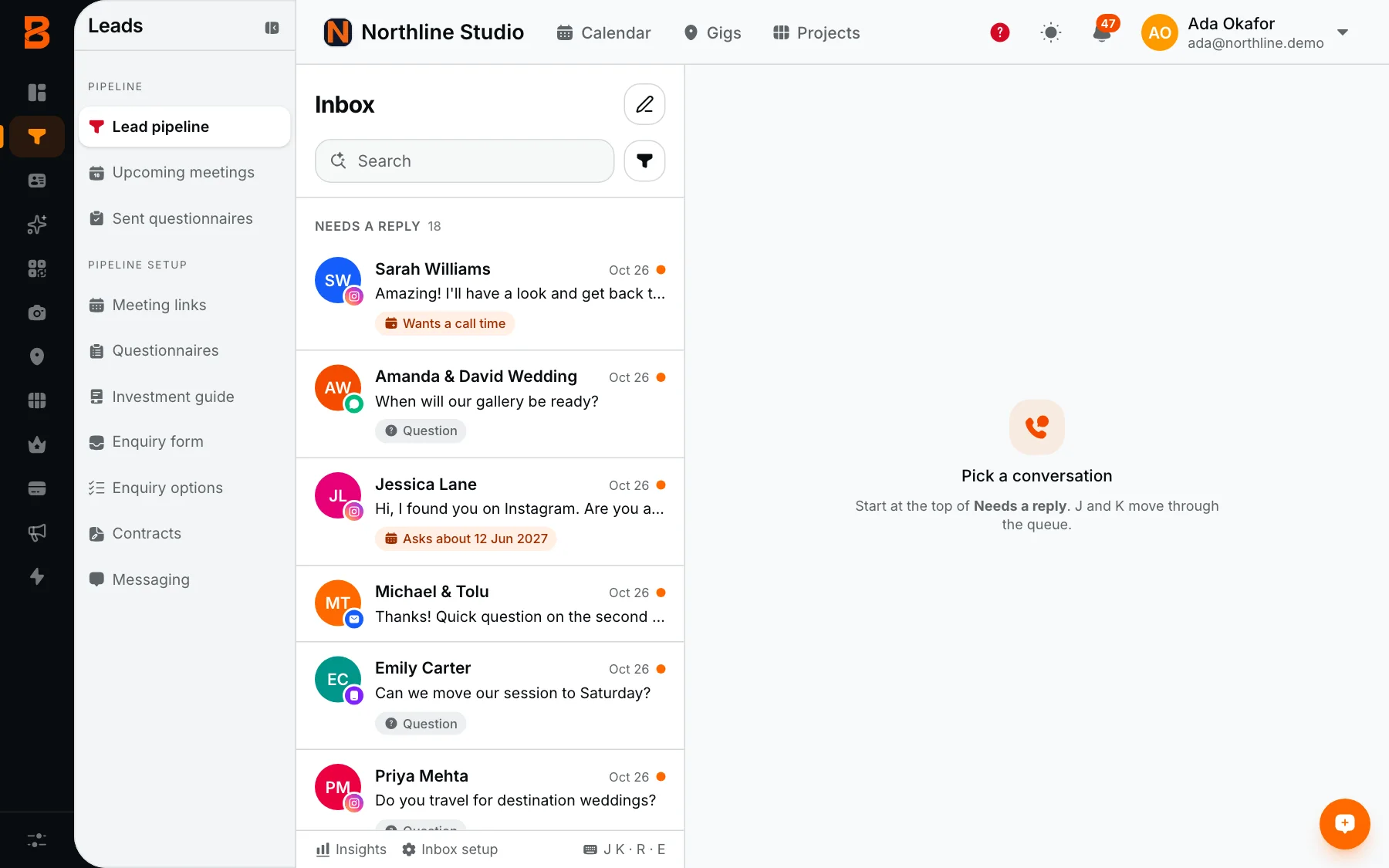
You cannot see who is waiting on you
Messages sit in each client's project, on WhatsApp and in email. You open them one by one to find who needs an answer.
“To see messages, I have to click into each project which is not a good use of my time.”
How bckendIQ solves it. One Inbox sorts every conversation by who owes the next reply. The conversation also sits as a tab beside the invoice, so the two are side by side.
Problem 3
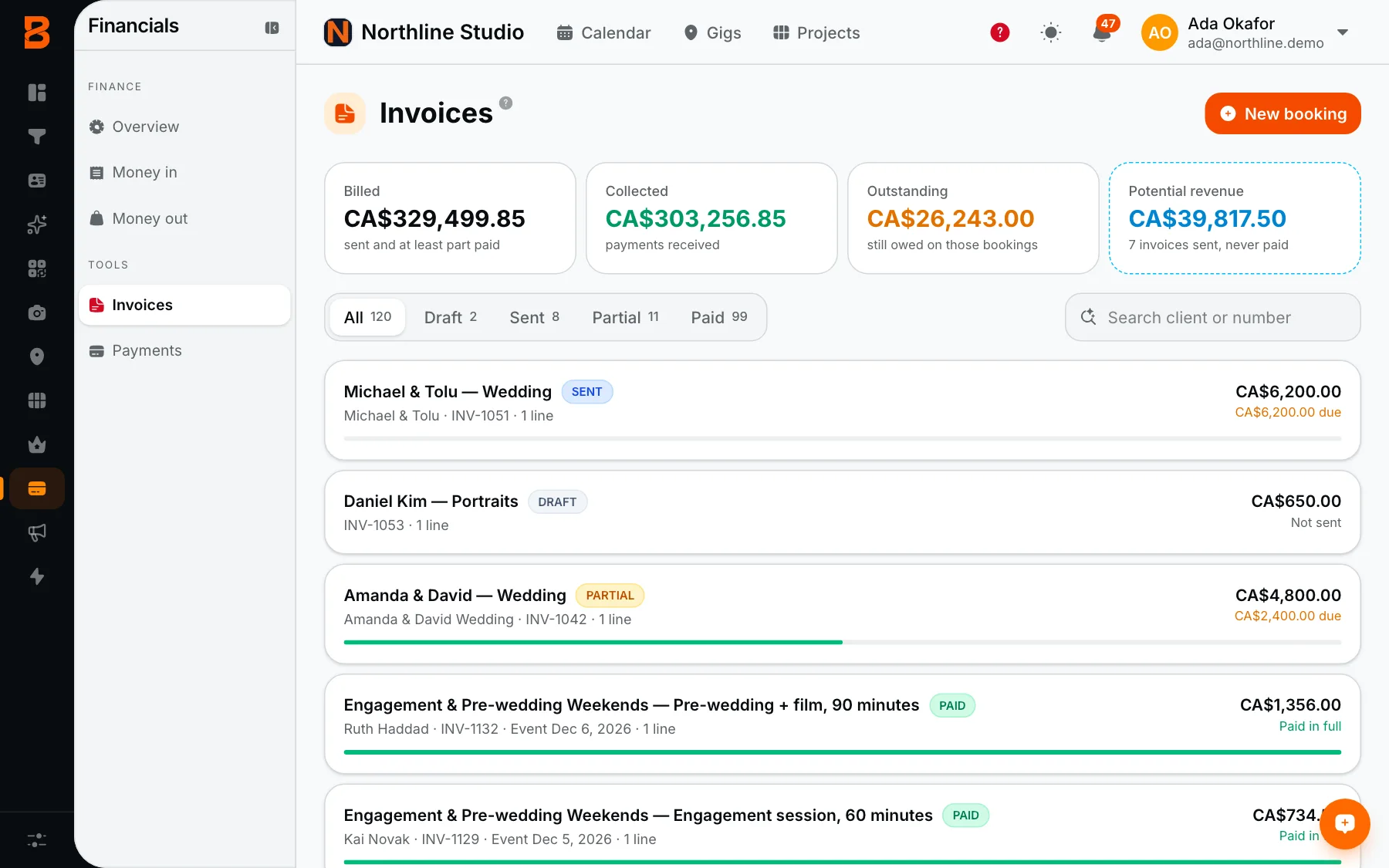
A sent invoice needs a change, and it cannot take one
The couple adds an album after you send the invoice. Or you offer a discount. You may end up voiding the invoice or sending a second one.
“The final payment almost always needs to be modified to cover add-ons that happen during the course of the project.”

How bckendIQ solves it. Add a package, an add on or a discount to a sent invoice. Nothing the couple already saw shifts.
Every change this week (16)
Book an editor by the hour, not the day
Give one editor 2 hours for one couple and 5 for another, on one day.
Open it in bckendIQ →One Inbox that shows who is waiting on you
Every conversation is sorted by who owes the next reply.
Open it in bckendIQ →Reword the proof email before it goes
Change the subject, headline and message, and it tells you when no email is on file.
Open it in bckendIQ →Approval now earns a thank-you with your review link
When a couple approves, they get your thank-you with your Google review link.
Open it in bckendIQ →A sent invoice can take a discount or add-on
Add a package, add-on or discount, and nothing the couple saw shifts.
Open it in bckendIQ →Hiring: one sheet per job, four documents per hire
Each job is one sheet, and each new hire gets four documents.
Open it in bckendIQ →The conversation is a tab beside the invoice
The invoice and the conversation now sit side by side as two tabs.
Open it in bckendIQ →Fix or take back a comment you posted
Your own comments on a task now have Edit and Delete.
Open it in bckendIQ →Thumbnails appear the moment an upload lands
A fresh wedding upload shows its thumbnails straight away.
Open it in bckendIQ →Put bckendIQ on your phone's home screen
On a phone, a sheet shows the exact taps to add bckendIQ.
Open it in bckendIQ →Big project boards scroll smoothly on a phone
Each job's row shows one line of thumbnails, then '+N'.
Open it in bckendIQ →Marketing fits a phone, and lead bank filters faster
Six filter pickers fold into one menu, and every tab fits an iPhone.
Open it in bckendIQ →A shorter menu and quieter page titles
Page explanations now sit behind a small '?'.
Open it in bckendIQ →The website now says what bckendIQ does
bckendiq.com walks one client from first message to gallery.
Questions about this week
- How do I keep track of couples who are waiting on a reply?
- The Inbox sorts every email, WhatsApp and form by who owes the next reply, so you can see who is waiting on you.
- How do I ask happy couples for a Google review?
- When a couple approves their photos, they get your thank you with your Google review link.
- Can one editor work on several weddings in a day?
- Yes. The Timeline shows the hours still free.
- Does editing a sent invoice change what the couple saw?
- No. Nothing they were already sent shifts.
bckendIQ runs enquiries, contracts, payments, galleries and crew for photo and video studios, in one place. Start free, no card needed →